FIX: Linux 3.5″ Diskette Drive Polling Issue
NOTE: This also dives a bit into my own background and prior Windows use, if you’re ONLY here for the Diskette Drive Solution, then scroll down to (or click on): The Fix/Solution
TIP: I have an entire video on my YouTube here, where I build this drive into my PC including a “kill-switch”.
You won’t hear me complain often about Linux, because honestly (and this is not some ‘Linux Fanboying behavior’😂, but I will get back to that) in general 90% to even 95% of the stuff I do actually just does work better on/in Linux.
I’m not just “the average user” who browses a bit of YouTube, does a rant or two on Reddit, plays a couple of rounds of Fortnite or Minecraft and calls it a day again. Things I do on my systems are for example (but not limited to an without going into the specific tools/software for now): CAD Design for printed circuit boards, embedded programming (Arduino, ARM/STM, ESP’s), reverse-engineering of hardware, hardware and software debugging, desktop/server application development, game modding and development, 3D animations/rigging for games and game mods, 3D modeling for both games and 3D printing, photo editing (raw DSLR and what is commonly referred to as “photoshopping”), video editing, audio design and voice overs, common ‘office stuff’ like writing documentation, bookkeeping, email etc. And of course gaming (Fallout, Halo, Call of Duty, GTA etc). And all that has changed literally 0% since I completely moved to Linux a few years ago. I still do EXACTLY the same things, with the same results on Linux as I did before on Windows.
Obviously some software has been replaced by other software because that software isn’t available for Linux, or even simply because the FREE Linux alternative(s) turned out to even be better (much better in some cases even), and at the same time I am also still able to keep using my old software I paid for yeaaaars ago like EaglePCB which still runs perfectly fine under Wine on Linux. Heck, even several of my own tools written in .NET run just fine without any hassle on Linux. Most of my workflow even got faster (not kidding) on Linux, while at the same time being MUCH more customizable and giving me full control of EVERYTHING (when I want it).
I USED to be obsessed with Windows
And again: I want to emphasize that this is not just some ‘Linux Fanboying’ 😂. IF there was any fanboying from my side then it would have been “in my Windows days” to be honest. I was COMPLETELY obsessed with the platform, ANYTHING I could do with Windows, Windows Mobile, Windows CE etc while programming in .NET instead of just using a lightweight ARM with bare Linux? Or in some cases even running an “embedded Windows” with a modified USB JOYSTICK! instead of just using an ATmega to read I/O’s? Yes THAT is how much I was obsessed with Windows and .NET. If I would be in a thrift store and there would be one of those Blaupunkt GPS units, or a MIO GPS unit? A Route 66 GPS? Or a handheld POS Scanner from PSION etc? I would instantly buy it without a doubt…. If it had Windows (CE) on it then I wanted it. I often used them for projects, robotics, automation etc.. ALLL running on Windows. But recent years Windows just started to turn more into bloated junk, a huge privacy concern and more of the alike (things which I will rant on much more in a later blog post and video though😉). So I did what I should have done decades ago to be honest, and that is move to Linux.

Linux Isn’t Perfect (either)
BUT! Yes, of course there is ‘a but’ when I start the article like that. Because even though Windows is just a complete sh*tshow which I just can’t take serious anymore (and won’t even remotely consider to ever going back either to be honest); Linux also does have its “WHY THE F*CK DID THEY THINK THAT WAS A GOOD IDEA???” moments of course😂.
And I will also honestly go deeper into that topic in that other post and video I will be making in the future, no worries. While Linux does have those issues, they are FAR less inconvenient and often quickly solved with some “Googling”. Even more so if you yourself are already more ‘tech-savvy’, then it’s often quickly resolved.
But today, I had one of those “Linux (folks), WHY THE F did you do it like this???” moments. I hooked up my USB->34-Pin FDD Controller to build in my real 3.5″ NEC Diskette drive (not just some modern “USB Replica Model”), just to discover that Linux then decides that it needs to probe it every freaking 1.5 seconds, even while there is no diskette in it. And if I DO put a diskette in it? Then it still keeps the motor spinning non-stop at a low RPM and it will make the disk activity LED blink every 2-3 seconds permanently.
THAT is NOT what you want for an “ancient” Diskette drive obviously, that would only increase wear SIGNIFICANTLY on the drive while it’s idle (not even to mention the absurdly annoying effect it has due to the constant sounds it keeps making due to that).
For the other tech-savvy ones among us:
YES, I do realize that it’s due to the UFI/Reduced Block Commands/SCSI emulation etc etc bla bla bla… But that does NOT matter and is NO excuse in my opinion. The module I’m using DOES properly identify as a “Floppy Drive” (Incorrect name in my opinion because it’s not a 5.25″ or 8″ drive, but that’s a different topic😂). And I absolutely hate to be that guy and do this but: Windows DOES handle it properly 100% (for a change)!
Windows:
– Sees drive/device: Lists it in explorer and leaves it alone
– I click on drive: THEN Windows tries to check if there is a Diskette in it and shows content IF there is one in there.
Linux:
– Sees drive: HEY! DRIVE! Let’s keep polling it aggressively until we see a diskette in it!
– I Insert diskette (DO NOT open drive yet): Stops polling aggressively but now keeps motor spinning slowly and ‘peek-seeking’ every 4 seconds non stop😳
– I click on it in Dolphin: THEN it mounts it and actually starts reading the contents, (but still keeps doing the ‘peek-seek’ every 4 seconds after that.
THAT? That is absolutely wild and absurd to me to be honest.
So the excuse that it’s due to how Linux might think it’s a SCSI device (for example), just doesn’t sail for me to be honest. And neither does an excuse like “Dude, diskettes/floppies are obsolete! It’s not maintained anymore, who even still uses them??“
Yes, they are obsolete on the general market, however; they ARE still being sold new (for ridiculous prices though😂). And it doesn’t need to be “maintained constantly”! It’s an “ancient technology” which will never change anymore period. Legacy or not, there are A LOT of people who are still using them, either for (older) industrial machines or for retro purposes, a quick google search will easily reveal this. In my opinion it should just work, it’s not the latest state of the art technology (the complete opposite actually😂). There are more than enough forum posts and questions about this exact problem on different distro’s.
The Fix/Solution
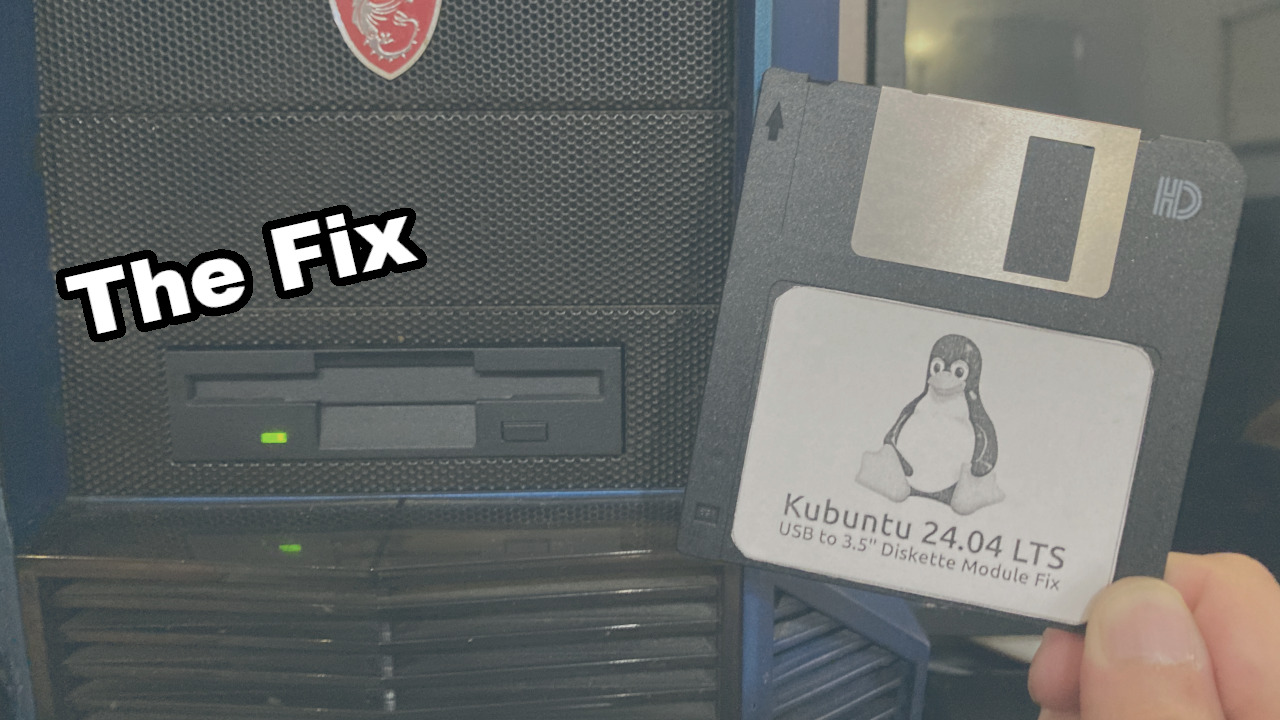
Even though I like to rant about topics which are just absolutely ridiculous (no matter the system/OS), luckily there is a relatively easy fix to solve this problem once and for all (which should again in my opinion just be “part of the system” damn it😂).
NOTE: I’m currently using Kubuntu 24.04LTS with kernel 6.17.0-35-generic, but this fix should work for nearly any other distro as well.
Open a terminal and type:
lsusbThis will result in several lines like these:
Bus 001 Device 001: ID 1d6b:0002 Linux Foundation 2.0 root hub
Bus 001 Device 006: ID 1a86:7523 QinHeng Electronics CH340 serial converter
Bus 001 Device 008: ID 046d:c22d Logitech, Inc. G510 Gaming Keyboard
Bus 001 Device 009: ID 1a40:0101 Terminus Technology Inc. Hub
Bus 001 Device 012: ID 1462:7c75 Micro Star International MYSTIC LIGHT
Bus 001 Device 013: ID 1a40:0101 Terminus Technology Inc. Hub
Bus 001 Device 014: ID 046d:c52b Logitech, Inc. Unifying Receiver
Bus 001 Device 016: ID 08ff:2580 AuthenTec, Inc. AES2501 Fingerprint Sensor
Bus 001 Device 018: ID 045e:0719 Microsoft Corp. Xbox 360 Wireless Adapter
Bus 001 Device 019: ID 046d:c22d Logitech, Inc. G510 Gaming Keyboard
Bus 001 Device 031: ID 0644:0000 TEAC Corp. Floppy
Bus 002 Device 001: ID 1d6b:0003 Linux Foundation 3.0 root hub
I’ve highlighted the one which is important for MY USB->FDD Converter, but you should write down the two ‘identifiers’ which in my unit are shown as: 0644 and 0000 (the 0644:0000 part). These are the VendorID and ProductID which we will need for the next section.
Then after ‘writing down’ those two identifiers, type the following command:
sudo nano /etc/udev/rules.d/99-stop-diskette-poll.rulesNOTE: You could replace nano with any other (terminal) text editor which you might have installed on your system (tilde, vim etc).
And then add the following line:
ACTION=="add", SUBSYSTEM=="block", ATTR{removable}=="1", ATTRS{idVendor}=="0644", ATTRS{idProduct}=="0000", ATTR{events_poll_msecs}="0"NOTE: Replace the two bold numbers in the example above (0644 and 0000) with the VendorID and ProductID of your own USB->FDD converter.
Now save the file and close the editor.
Lastly you’ll need to run two more commands (so you don’t have to reboot instead 😉):
sudo udevadm control --reload-rules
sudo udevadm trigger
These two commands will make the system reload the configuration/rules (the first line) and trigger a ‘new forced scan’ (the second line).
DAMN IT! It doesn’t work, I did everything you said and it is still doing the constant ‘trying to read’!
That IS possible (I also had that, no worries), just either unplug the USB and reconnect it so it has a ‘clean start’ with the new rules, or if you have built it into your PC and thus can’t unplug the USB easily, then just turn the PC off and back on again for a full clean start. And the problem should now be resolved.
If you DO still keep having this issue, then it might actually be a cheap/faulty controller board, or one which does actually report itself wildly incorrectly, but in general this should solve the issue ‘instantly’.
But the Linux Lunacy doesn’t end here…
Yeah, like you most likely already have noticed; I don’t like to “dunk on Linux” if it’s unfounded or unjustified, like for example those clueless people online saying “Linux is only free if you don’t value your time“. HOWEVER, when it comes to diskettes (or floppies for that matter), it’s absolutely absurd how “broken” the implementation is. Because no matter what I tried, it’s absolutely impossible to just format a 3.5″ 1.44mb diskette using the KDE Desktop on Kubuntu 24.04.
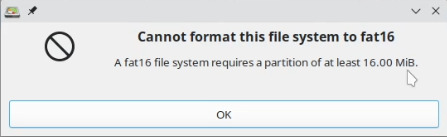
I will spare you tons of screenshots, but you can watch the entire video if you like, but if I try gparted to format the drive, it just refuses to do this properly, it wants to create a fat16 partition but then complains that fat16 needs at least a 16mb partition 😳. No, I’m not kidding, and no it does not, because we DO NOT want a fat16 partition🤦🏽♀️.
It’s just nearly (if not completely) impossible to JUST format a damn 1.44mb diskette in the GUI🤦🏽♀️ which is just ludicrous to me tbh😂. And and for those saying but [insert stupid LLM] said [insert stupid LLM answer here]: DO NOT trust those glorified hallucinating dictionaries for serious work and things like Linux! They become QUICKLY outdated and are often HIGHLY incorrect, especially when it comes to Linux! My buddy DID actually used one and it told him “Oh yeah, just use KFloppy if you’re on KDE Plasma”. Well that program is the most terrifying program I’ve ever seen in Linux (knowing how quick and powerful Linux can be with disk destruction!). It ONLY shows two options to select the “Floppy Drive:”
‘Primary‘ and ‘Secondary‘, it does NOT list ANY information about which device it would actually format. And then when you click on format ALL it basically asks: “Are you absolutely certain that you want to erase the drive, this will permanently erase….“, something like that but still ABSOLUTELY NO CLUE about which drive it would (try to) format! You REALLY think I will just blindly click on format IN LINUX when the “selected drive” is “Primary”? Have you lost your freaking mind😂? I suspect it would only support /dev/fd0 and /dev/fd1, which are the “old interfaces” of an actual onboard FDD controller, but I’m NOT going to risk it on my drives damn it😂. And the problem is about the same as with gparted for KDE Partition Manager btw.
So if all those tools fail, what complicated solution does Linux then require?
Nothing complicated actually 😳, just one damn line in the terminal: sudo mkfs.msdos /dev/[devicename] 🤦🏽♀️
But how do you know which device name to enter?
Which is something you definitely want to know beforehand, because that command is ALSO instantly destructive if ran on the wrong device 😂! However now you DO have several options to find the right device name.

And “funny enough” you can use Gparted, KDE Partition Manager and even the terminal to find out what the device name/path is you need😂. In Gparted you can find it in the top right in the drop down menu, and in KDE Partition Manager on the left in the list box. Of course you do still have to know/recognize your device, but this should not be too hard.
And in the terminal its just as simple as running the command lsblk to list all devices and then find/pick-out your Diskette drive which will most likely look like something like this:
sdd 8:48 1 1,4M 0 diskSo we’ve established that ON MY PC the Diskette drive has device path: /dev/sdd, so I (again: on MY pc) can now run:
rico@Spider:~$ sudo mkfs.msdos /dev/sdd
[sudo] password for rico:
mkfs.fat 4.2 (2021-01-31)
rico@Spider:~$
And it’s done. YES! If/once/when you know the drive path it’s literally just one f-ing command to get it properly formatted in a way that it even works in my 386 machines, my Sony Mavica Diskette camera etc. WHY for f*ck sake this doesn’t just work normally in the UI’s of gparted, kdepartition manager etc? I have absolutely no clue. But at-least we are still relatively easily able to format our ancient diskettes properly in Linux.
Hate to say it but: Windows 1 – Linux 0 on this one🤷🏽♀️, it does eventually work, but it’s waaaay more cumbersome than it should be to be honest.
And like my rant above (and even the reason WHY this post is much longer than needed to give you the solution); I really don’t understand why this isn’t just a default thing in Linux. And NO I’m obviously not talking about specific ‘vendor/deviceID blocking’, but PROPER handling of FDD’s 🤷🏽♀️
But you should have used…
NO! DO NOT even think about commenting something like: “But you should have used/should have done“. NO, just stop right there! It’s should just have worked normally, especially when those tools DO show ‘format’, ‘partition drive’ and even properly recognize it’s size etc! No damn elitist “you should have known about this shiny fancy tool which isn’t installed by default bs“.
And no, I’m not angerly hating on Linux for this 😂, it just completely baffles me that it doesn’t just work with the actual (UI) format and partition tools. Well this was a rant-and-tutorial-in-one, but I do hope this will help you with these issues, it sure does work great for me now though.
Below are some more ‘bonus tips’ on how I have implemented it in MY pc to extend the life of the drive a bit longer, but do with those as you wish😊.
BONUS TIP(S)
1: If you, just like me, built the Diskette Drive into your PC permanently, then I would personally recommend to make a physical kill-switch between the VCC (red) wire going from the USB to the USB->FDD Module. This prevents the drive from getting read/scanned upon boot and when other possible software might randomly do a scan across all drives. This will extend the life of the drive a bit longer, because it won’t spin-up the drive motor, the stepper motors or heads when it’s not needed.
2: Another tip for when you are building it into your pc; PERSONALLY I would not recommend running a real “vintage 3.5″ Diskette drive” completely from the USB power (provided by the converter/adapter board). If you are building it into your PC anyway (AND you know how to, which I do assume otherwise you would most likely not be using diskettes these days 😉), then I would recommend to cut-off the VCC (red) wire from the module to the USB and instead provide power to the module via the 5V bus of a molex plug. Some of these drives COULD ‘ramp up’ quite some current (or current spikes), and that is not something you would, in my opinion, want to run over your USB lines. I know that there are ‘ready-to-use’ “USB Floppy Drives” as they call them, but those use very different components and circuitry internally than the old vintage ones (they are often also much less reliable and inferior to the ‘real deal’). IF doing this, do make sure you do still keep the ground connected to the USB it’s ground, and NOT the Molex it’s ground! Electrically this doesn’t make much of a difference, but for signal integrity of the USB data lines it is! Best practice would even be to tie the USB ground and Molex ground together, but in my honest opinion that just overkill for this situation, since it’s the same PC/PSU, same motherboard, and if you have a decent computer case, it’s already “commonly grounded”. However again; for the USB SIGNAL integrity, it’s best to ensure you keep at least the USB ground connection alongside the D-/D+ lines!